
Know who's really at work.
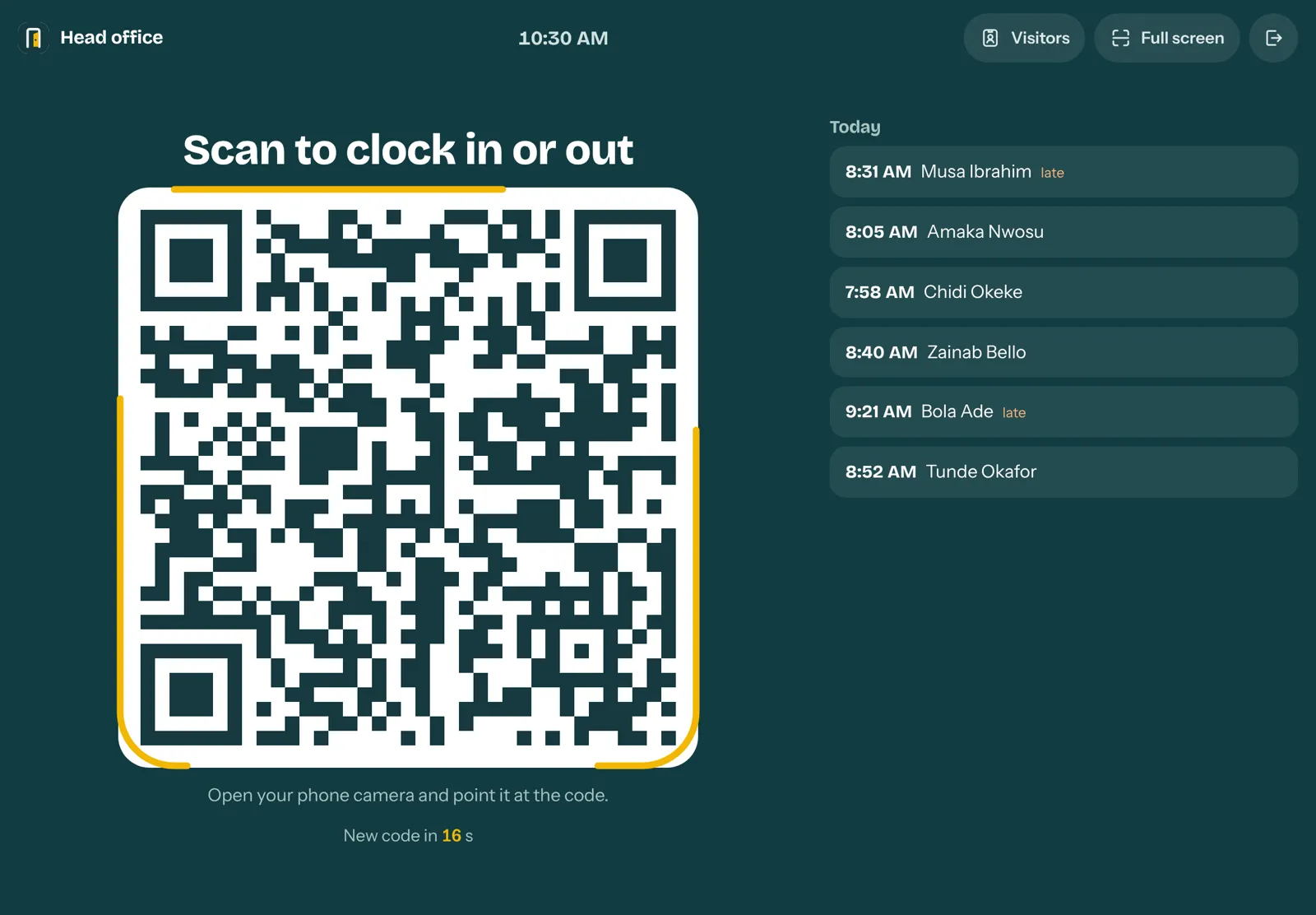
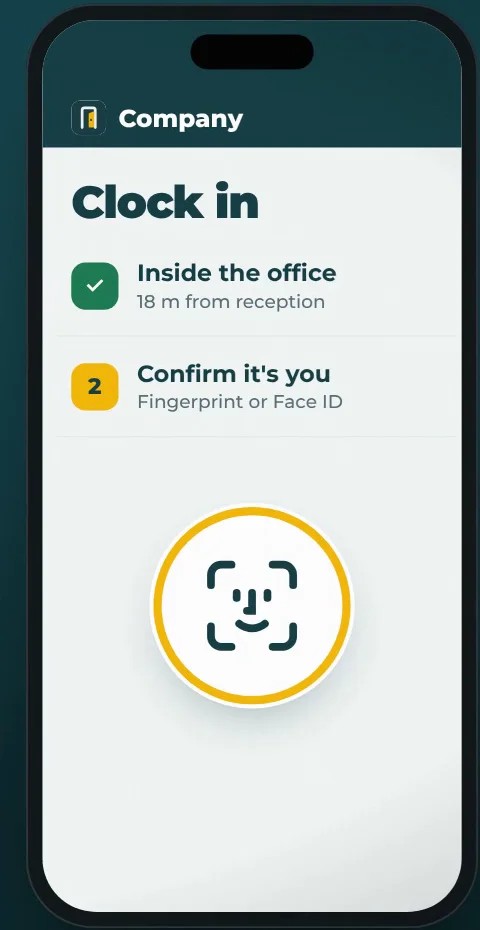
Staff clock in at reception with a QR code that changes every 20 seconds, confirmed by their own fingerprint or Face ID, and only from inside your office. Managers are notified the moment they arrive.
Attendance you can't prove is attendance you can't trust.
The register says everyone arrived on time. A colleague signed for the one still stuck in traffic.
Managers only discover lateness at month end, when it's too late to fix.
Payroll means adding up spreadsheets and paper by hand, every single month.
Visitors scribble in a book nobody can read. Nobody knows who is still in the building.
Five steps. About ten seconds.
A code at reception
A phone or tablet at the front desk shows a QR code that changes every 20 seconds, so a photo of it is useless.
Staff scan with their own phone
No app to install. The phone camera opens the clock-in page.
Inside the office only
GPS must be within the area you set. Clocking in from home or on the way is refused.
Fingerprint or Face ID
Their own phone confirms it's really them. One phone can't clock in two people.
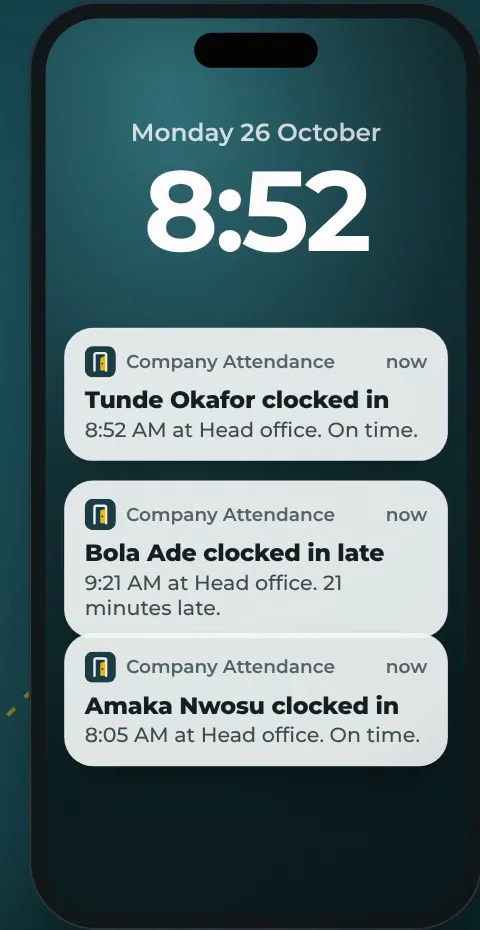
Manager notified instantly
The arrival appears live on the dashboard, marked on time or late.
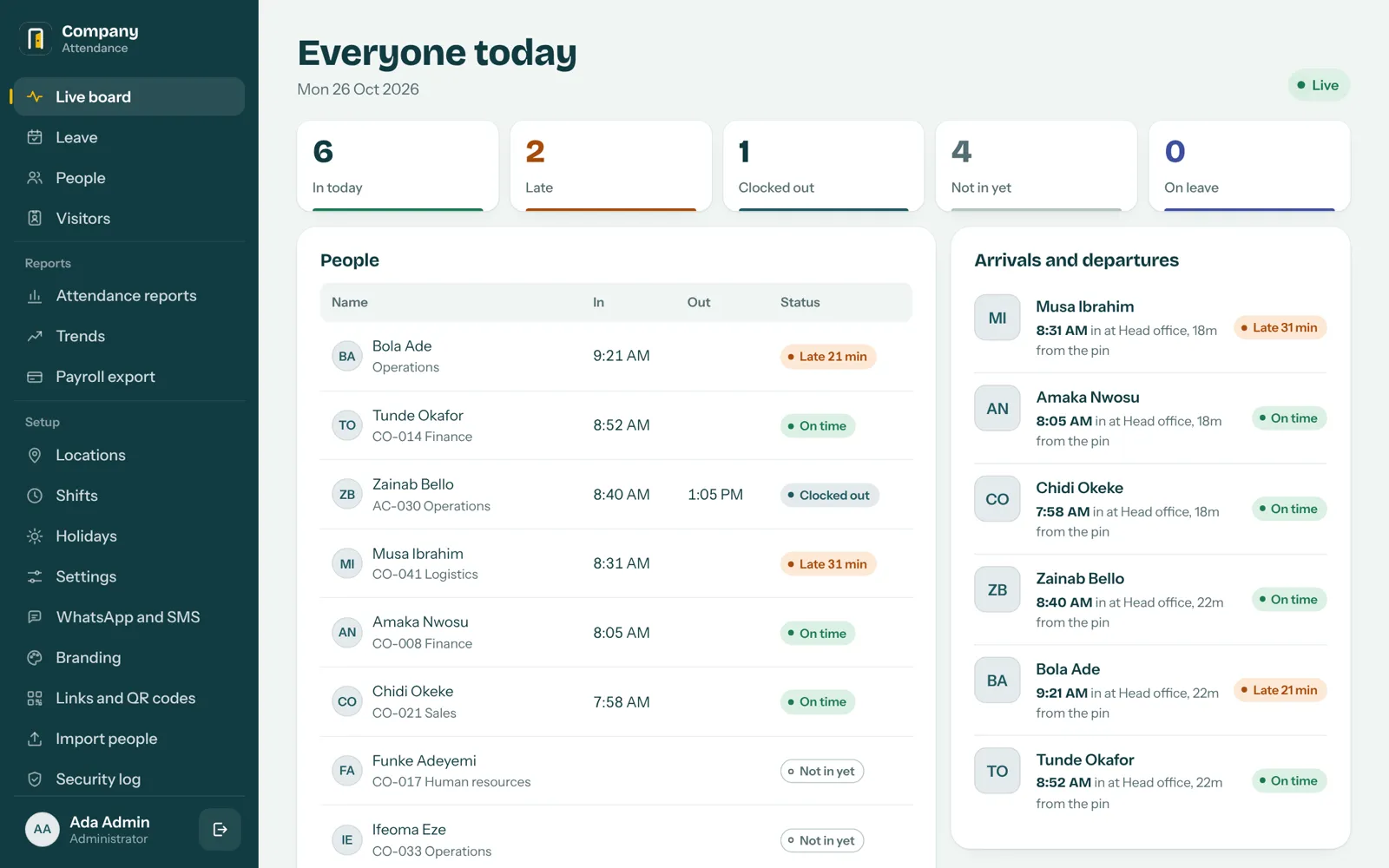
Everything in one place, live.
Who's in, who's late, who's on leave, and every arrival as it happens. On your laptop or your phone.
Real-time alerts
Email, WhatsApp or SMS for late arrivals, leave requests, clock-out reminders and security alerts.
Leave and balances
Requests, approvals and yearly allowances. Staff see their days left before they ask.
Shifts and overtime
Different hours per person, night shifts, overtime and early leaving, all counted automatically.
Trends
On-time rate by week, the worst days, arrival times and the most punctual staff.
Suspicious-pattern alerts
Flags fake-location apps, a colleague's phone and repeated failed attempts.
Your brand
Your logo and colours on every screen, including the home-screen icon on staff phones.
Know who's in your building.
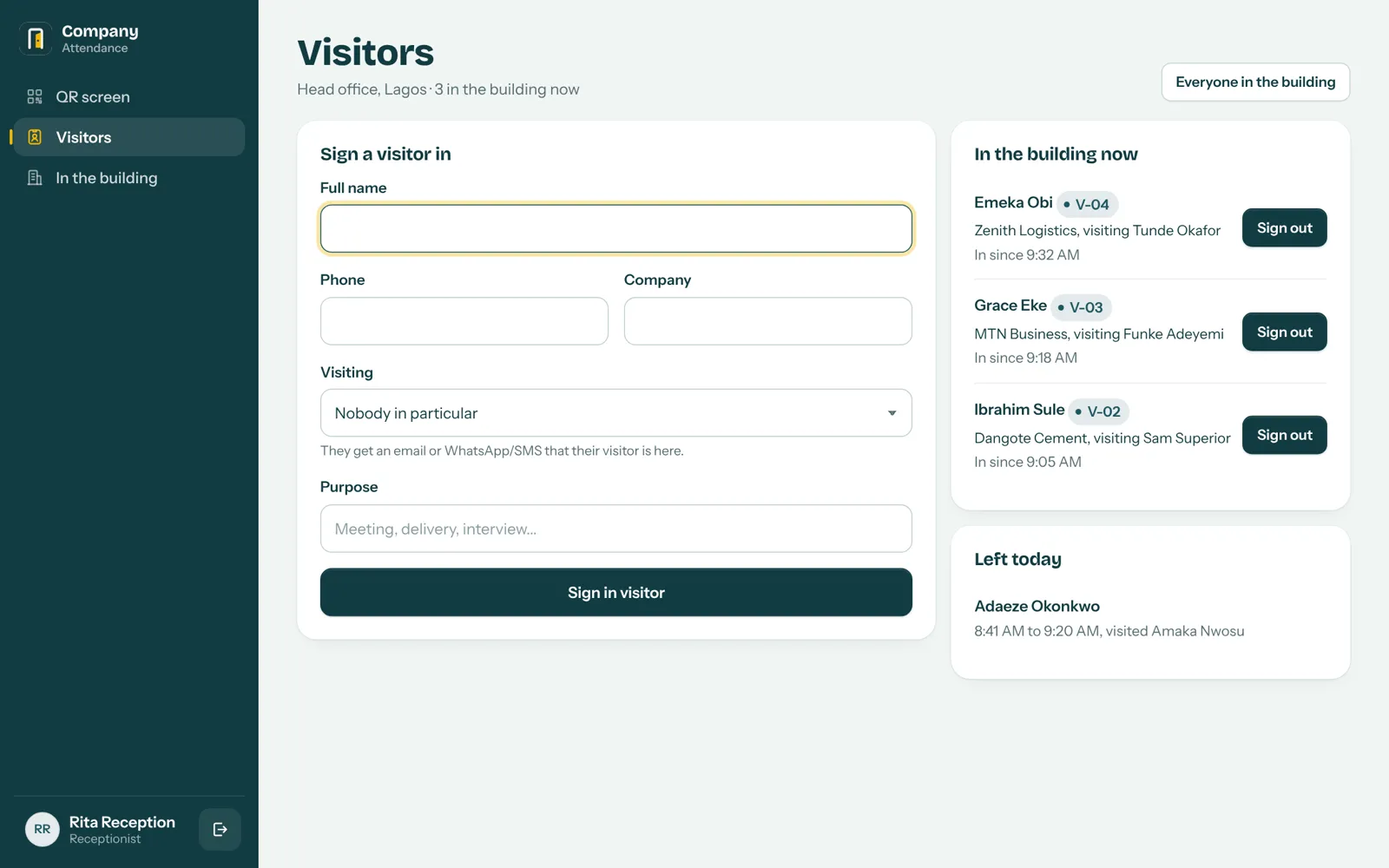
- Signed in, in seconds. Name, phone, company, who they're visiting and why.
- Badge number issued automatically for the day: V-01, V-02 and so on.
- Host notified instantly by WhatsApp, SMS or email: "Your visitor is at reception."
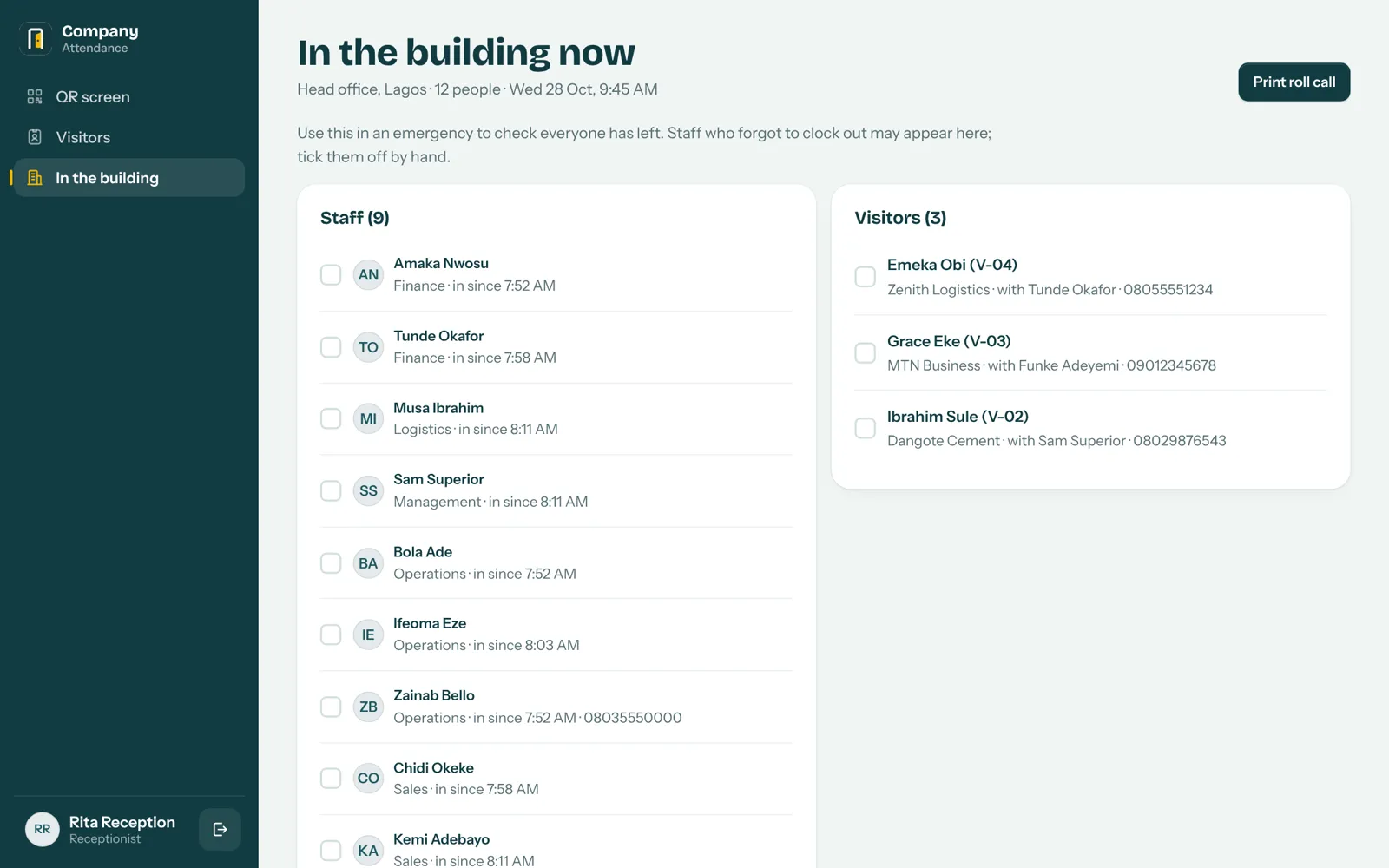
- Always know who's inside, and sign them out with one tap when they leave.
- Emergency roll call: one tap prints every staff member and visitor in the building.
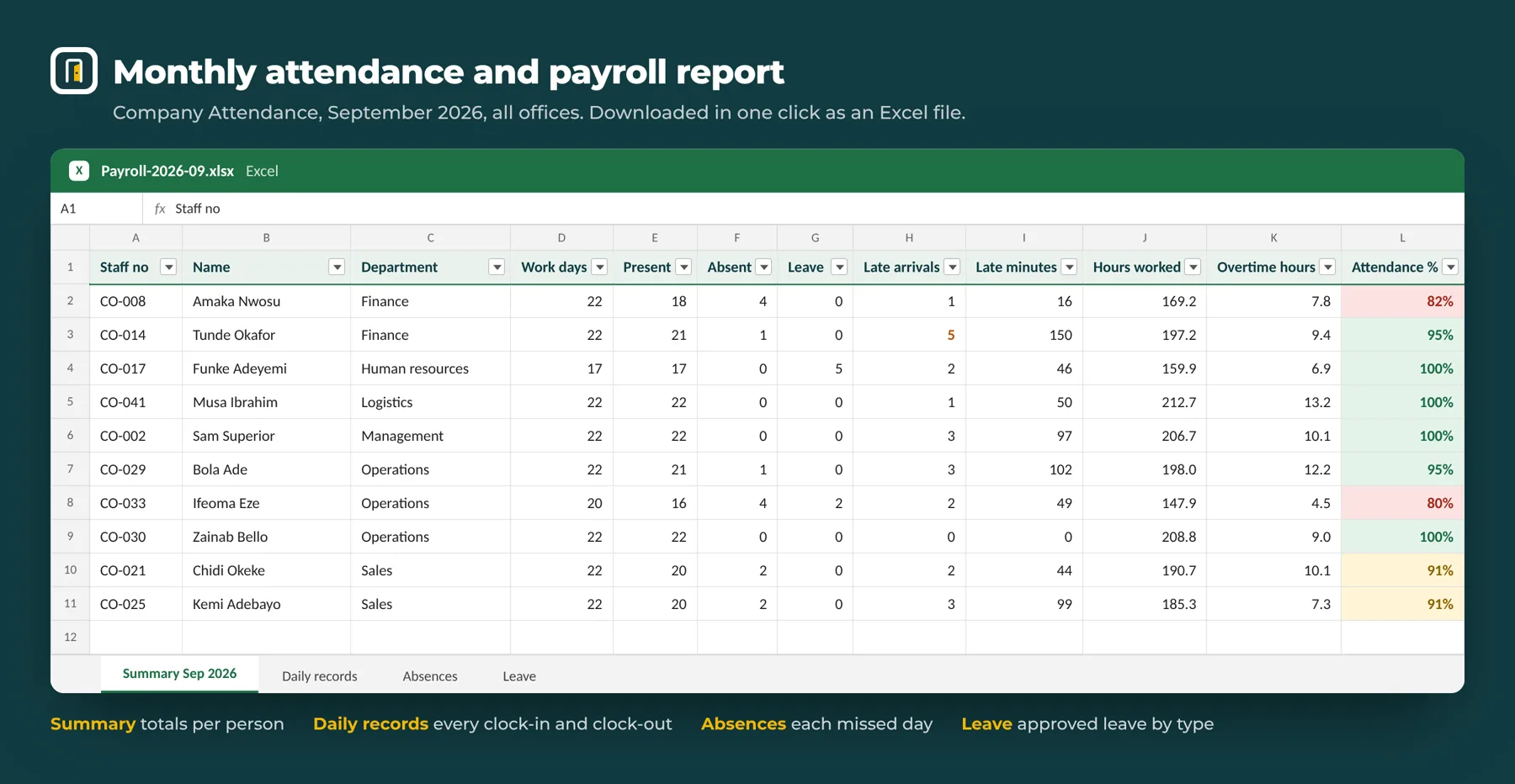
The monthly report, in one click.
One Excel file per month: days present and absent, leave by type, late arrivals and minutes, hours worked, overtime and attendance percentage for every person. Plus every daily record, absences and approved leave on separate sheets.
Built so it can't be cheated.
Teams of 10 to 200 who need certainty.
Agencies and studios
Hybrid teams, client visitors every day and creative hours that need fair tracking.
Schools and training centres
Teacher attendance, parents and visitors signed in and accounted for.
Hospitals, clinics and labs
Shifts and night duty, plus strict control of who is on the premises.
Corporate offices and SMEs
Law, finance, logistics, real estate and tech firms that want clean payroll.
The one-minute demo.
From the reception QR code to the manager's phone, visitors and the monthly report.
Questions
Do we need to buy a fingerprint machine?
No. Staff use the fingerprint or Face ID already on their own phones. You only need one phone or tablet at reception to show the QR code.
What if a staff member's phone has no fingerprint reader?
Any phone with a screen lock works: fingerprint, face or the phone's PIN. It must be a reasonably recent Android (Chrome) or iPhone (Safari).
Can someone clock in from home or for a colleague?
No. The QR code changes every 20 seconds, GPS must be inside your office area, the person must confirm with their own biometrics, and one phone can't clock in two people.
Where is our data stored?
On your own website and hosting, under your control. You can download a full backup at any time.
How long does it take to set up?
About one week from go-ahead: installation, your branding, office location, accounts and staff import, testing on site, then handover and training.
Is visitor management extra?
No. Visitor sign-in, host notifications and the emergency roll call are included and run on the same reception device.
How much does it cost?
A one-time price that depends on whether it's installed on your existing website or a new one we set up for you. Request a quote and we'll send a full proposal.
Request a quote or a live demo.
Tell us how many staff and offices you have. We'll reply with a proposal and show you the system working, live.
Chat on WhatsApp